Mastering the Projection Vector Equation
📋 In this guide
The projection vector equation is a fundamental concept in vector mathematics that deals with projecting one vector onto another. This equation is vital for understanding how vectors interact in multi-dimensional spaces, and it's often used in fields ranging from physics to computer graphics. Despite its importance, many students find the projection vector equation challenging because it involves both geometric intuition and algebraic manipulation. In this article, we will demystify the concept, breaking it down into manageable steps to make it easier to understand and apply.
Students often struggle with the projection vector equation because it requires a good grasp of both vector operations and algebra equations. The process involves calculating dot products and magnitudes, which can be daunting if you're not comfortable with these operations. This comprehensive guide will walk you through the key formula, a step-by-step guide to solving projection problems, and common pitfalls to watch out for.
By the end of this article, you'll have a solid understanding of the projection vector equation, know how to apply it in various contexts, and appreciate its real-world applications. Whether you're tackling a quadratic equation, diving into kinematic equations, or simply curious about how vectors work in the photosynthesis equation, mastering vector projections is an essential skill in your mathematical toolbox.
Step-by-Step: How to Solve Projection Vector Equation
Step 1: Understand the Dot Product
The first step in using the projection vector equation is to understand the dot product, which is a way to multiply two vectors to yield a scalar. For two vectors, v = [v1, v2] and u = [u1, u2], the dot product is calculated as v • u = v1*u1 + v2*u2. This operation is crucial because it quantifies the component of one vector along the direction of the other, which is a fundamental aspect of projection.
Step 2: Calculate the Magnitude of the Vector
Next, you need to determine the magnitude of the vector onto which you are projecting. The magnitude of a vector u = [u1, u2] is calculated using the formula sqrt(u1^2 + u2^2). This step is critical because the projection vector equation requires normalizing the vector u, effectively turning it into a unit vector in its direction.
Step 3: Apply the Projection Vector Equation
With the dot product and magnitude in hand, you can apply the projection vector equation. Substitute the dot product and the magnitude squared into the formula: proj_u(v) = [(v • u) / (u • u)] * u. This equation scales the unit vector in the direction of u by the scalar resulting from the dot product ratio, giving you the projection of v onto u.
Step 4: Interpret the Result
Finally, interpret the resulting projection vector. The projection of v onto u gives you a vector that lies on the line defined by u and represents the component of v in the direction of u. This understanding is crucial for applications such as resolving forces in physics or rendering shadows in computer graphics.
🤖 Stuck on a math problem?
Take a screenshot and let our AI solve it step-by-step in seconds
⚡ Try MathSolver Free →Worked Examples
Example 1
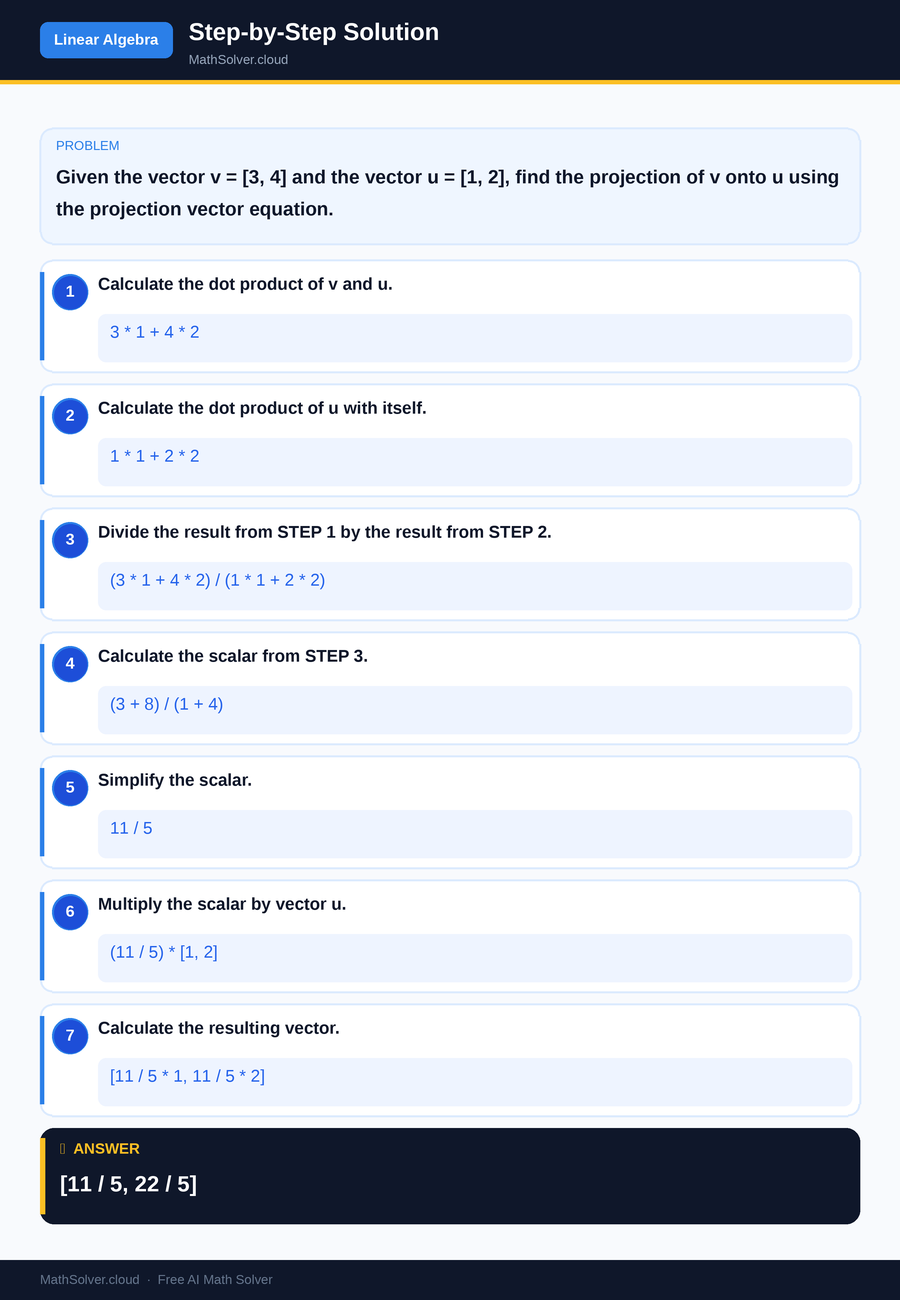
MathSolver Chrome extension solving this problem step-by-step
Example 2
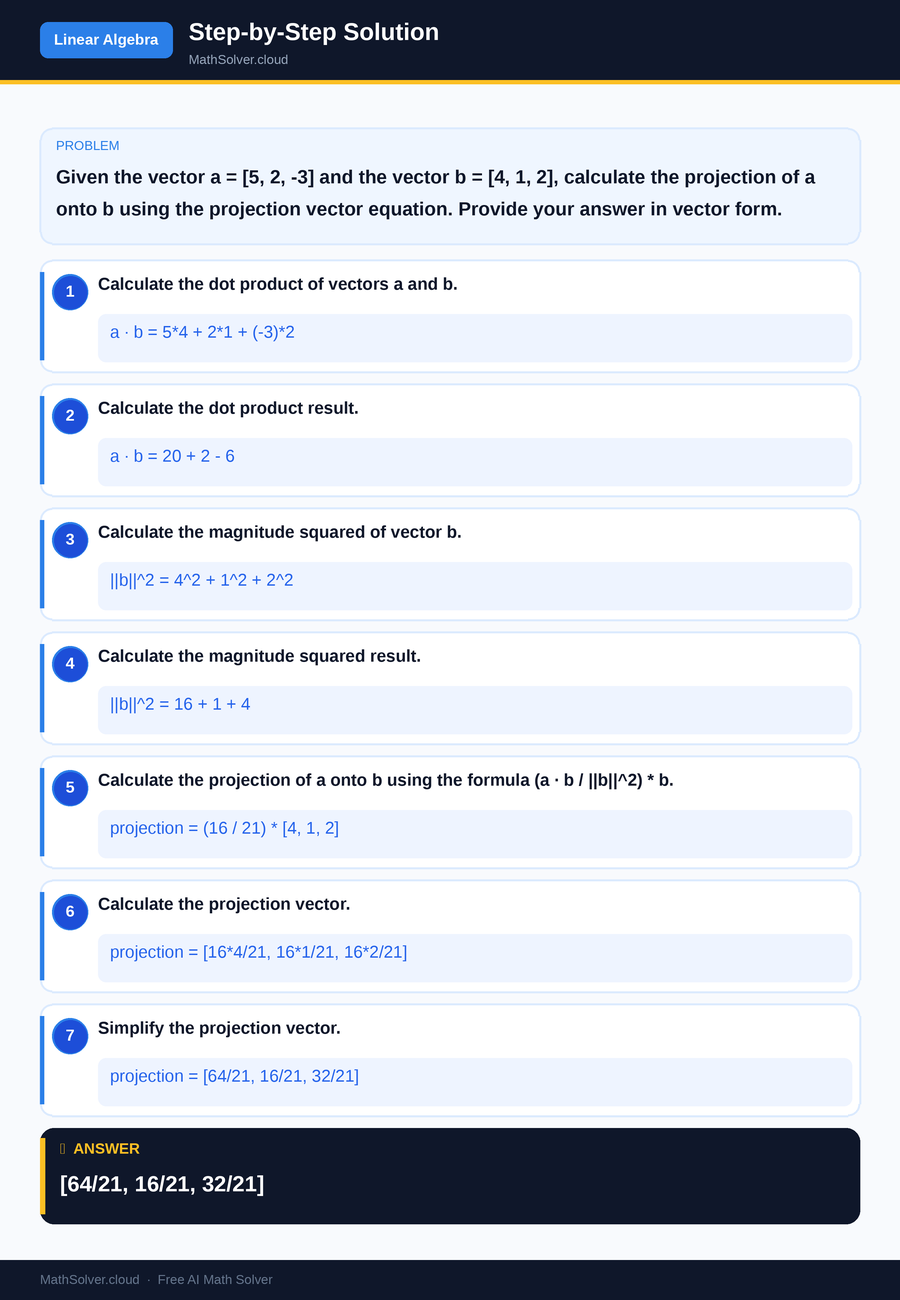
MathSolver Chrome extension solving this problem step-by-step
Common Mistakes to Avoid
One common mistake is forgetting to square the magnitude in the denominator of the projection vector equation. Students often miscalculate the projection because they use the magnitude instead of the magnitude squared, leading to incorrect scaling of the projection vector. Always double-check your calculations to ensure accuracy.
Another frequent error is confusing the order of vectors in the dot product. Remember, the dot product is commutative, but the order matters in the context of projection because you're projecting one specific vector onto another. Ensure you're consistent with which vector is being projected onto which.
Real-World Applications
The projection vector equation is widely used in physics, particularly in resolving forces. For instance, if you need to find the component of a force acting along a particular direction, you can use vector projection to isolate this component. This application is crucial for solving problems in mechanics and dynamics.
In computer graphics, vector projections are employed to determine how light, shadows, and reflections interact with surfaces. By projecting vectors representing light onto surface normals, graphics engines can accurately simulate realistic lighting and shading, enhancing visual realism in games and simulations.
Frequently Asked Questions
❓ What is the projection vector equation used for?
❓ How do you calculate the projection of one vector onto another?
❓ How can AI help with the projection vector equation?
❓ Why is it important to normalize a vector in projections?
❓ How does vector projection relate to matrices?
🚀 Solve any math problem instantly
2,000+ students use MathSolver every day — join them for free
📥 Add to Chrome — It's Free