Mastering Matrix Solver RREF: A Comprehensive Guide
📋 In this guide
Matrix solver RREF is a powerful tool in linear algebra used to simplify matrices to their reduced row echelon form. For many students, tackling problems involving matrices can be daunting due to the complexity of operations required. Understanding how to solve a matrix using RREF can significantly ease the process. In this article, you will learn everything you need to know about matrix solver RREF, from definitions and step-by-step guides to real-world applications.
Many students struggle with matrix solver RREF because it involves a series of methodical steps that must be followed precisely. The operations can often seem tedious and require a clear understanding of row operations, which include row swapping, scaling rows, and adding multiples of rows to each other. These operations must be conducted in a specific sequence to achieve the desired form, which can be a source of confusion for those new to the topic.
By the end of this article, you will have a comprehensive understanding of how to use matrix solver RREF to solve matrix problems effectively. We will provide detailed examples and highlight common mistakes to avoid, ensuring you have the tools you need to approach matrix problems with confidence. Along the way, we'll also explore how AI tools like the MathSolver Chrome extension can assist you in mastering these concepts.
Step-by-Step: How to Solve Matrix Solver Rref
Step 1: Identify the Leading Entry
The first step in using a matrix solver RREF is to identify the leading entry in each row, which is the first non-zero element from the left. This helps determine the order of operations. If necessary, swap rows to get a non-zero entry in the first position of the first row. This leading entry should be 1, so if it is not, you need to scale the row by multiplying it by the reciprocal of the leading entry.
Step 2: Zero Out Below the Leading Entry
Once the leading entry is 1, the next step is to make all entries below this leading 1 zero. This is done by adding or subtracting multiples of the row containing the leading 1 to each of the rows below it. This operation is crucial for simplifying the matrix and helps in maintaining the integrity of the row operations.
Step 3: Repeat for Each Row
Move to the next row and repeat the process: identify the leading entry, make it 1 (if it’s not already), and then make all entries below it zero. Continue this process for each subsequent row, following the same pattern. It’s important to ensure that each leading entry is 1 and that all elements below it are zeros, which will help in achieving the RREF.
Step 4: Adjust for Upper Rows
After handling all rows from top to bottom, you may need to perform operations on upper rows to ensure that all entries above each leading 1 are zero. This final step ensures that the matrix is in its fully reduced form, where leading 1s are isolated in their respective columns, and all other entries in those columns are zero.
🤖 Stuck on a math problem?
Take a screenshot and let our AI solve it step-by-step in seconds
⚡ Try MathSolver Free →Worked Examples
Example 1

MathSolver Chrome extension solving this problem step-by-step
Example 2
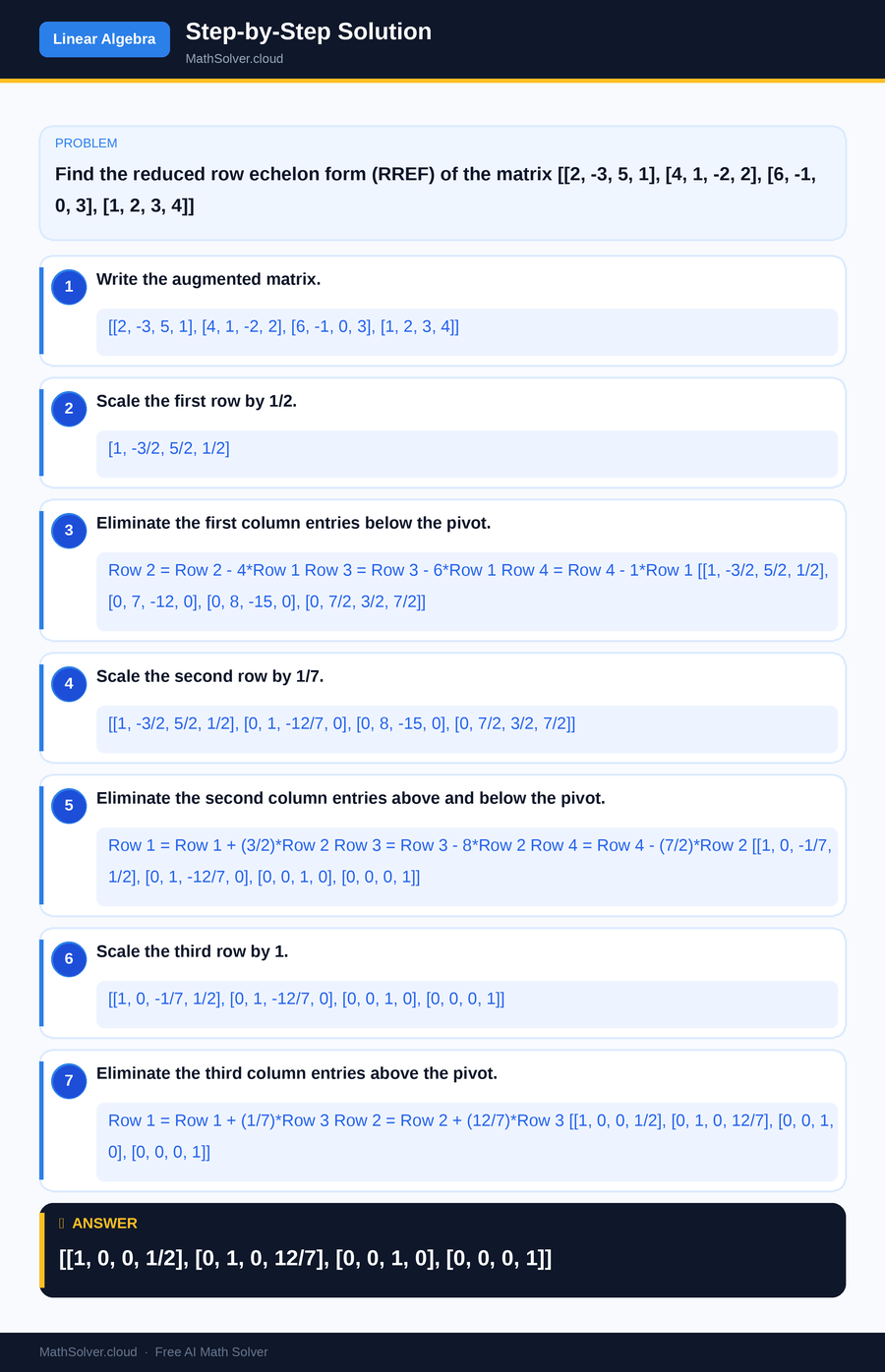
MathSolver Chrome extension solving this problem step-by-step
Common Mistakes to Avoid
One common mistake students make when using a matrix solver RREF is neglecting the order of operations. It's crucial to always start with the first row and work systematically down the matrix. Failing to zero out entries below each leading 1 can lead to incorrect results. Always double-check your row operations and ensure that each leading entry is isolated before moving on to the next row.
Another mistake is not scaling rows to make the leading entry 1. This is a critical step that can affect the entire process. Always remember to divide the row by the leading entry to ensure it is 1. Keep in mind that precision in calculations is key to achieving the correct RREF.
Real-World Applications
The matrix solver RREF is not just an academic exercise; it has significant real-world applications. For example, in computer graphics, matrix transformations are used to manipulate images and 3D models. Understanding RREF can help optimize these transformations, making the process more efficient.
Additionally, in fields like economics and engineering, matrices are used to solve systems of linear equations, which can model everything from economic forecasts to structural analyses. Mastery of matrix solver RREF can provide valuable insights into these complex systems and enhance problem-solving capabilities.
Frequently Asked Questions
❓ What is a matrix solver RREF and why is it important?
❓ Why do students find matrix solver RREF challenging?
❓ How can AI help with matrix solver RREF?
❓ What are some common errors when working with matrix solver RREF?
❓ How is matrix solver RREF used in practical scenarios?
🚀 Solve any math problem instantly
2,000+ students use MathSolver every day — join them for free
📥 Add to Chrome — It's Free