Mastering the Google Math Calculator
📋 In this guide
The google math calculator is a powerful tool that allows users to perform mathematical calculations directly through Google's search engine. By simply typing a mathematical expression into Google's search bar, students and professionals alike can quickly find solutions to a wide range of math problems. Despite its convenience, many students struggle with fully utilizing this tool due to a lack of understanding of its capabilities and features. In this article, we'll explore how to effectively use the google math calculator, helping you to tackle math problems with confidence and ease.
Many students find math challenging, especially when dealing with complex equations or unfamiliar concepts. The google math calculator can be a valuable resource for overcoming these challenges, offering step-by-step solutions and explanations that make math more accessible. However, without a clear understanding of how to use this tool, students may not be getting the most out of it. This guide aims to clarify the functionality of the google math calculator, ensuring that you can make the most of its features.
By the end of this article, you'll learn how to use the google math calculator for a variety of mathematical operations, including fractions, roots, and powers. Additionally, we'll discuss how the google math calculator online and the google math calculator camera feature can simplify your math-solving process. With these insights, you'll be better equipped to approach your math studies with confidence and precision.
Step-by-Step: How to Solve Google Math Calculator
Step 1: Accessing the Google Math Calculator
To access the google math calculator, simply open your internet browser and navigate to the Google homepage. In the search bar, type the mathematical expression you wish to solve. For example, entering "25 / 5 + 8" will trigger the calculator to evaluate the expression. Press "Enter" to view the result. The calculator interface will appear at the top of the search results, displaying the answer and allowing you to modify the expression if needed.
Step 2: Understanding Basic Operations
The google math calculator can perform basic arithmetic operations, including addition, subtraction, multiplication, and division. When entering expressions, use the "+" symbol for addition, "-" for subtraction, "*" for multiplication, and "/" for division. For instance, to calculate 25 multiplied by 4, type "25 * 4" into the search bar. The calculator will handle the order of operations correctly, ensuring accurate results.
Step 3: Utilizing Advanced Features
Beyond basic arithmetic, the google math calculator offers advanced features for solving more complex math problems. You can use parentheses to group operations and prioritize calculations. For example, typing "(3 + 5) * 2" will first add 3 and 5, then multiply the result by 2. Additionally, the calculator supports exponentiation using the "^" symbol and square root calculations using "sqrt()". To find the square root of 16, type "sqrt(16)" into the search bar.
Step 4: Exploring Google Math Calculator with Steps
One of the most beneficial features of the google math calculator is its ability to provide step-by-step solutions. This feature helps students understand the process of solving a problem, rather than just presenting the final answer. To access this, enter a complex expression into the search bar, and select the option to view steps if available. This feature can be particularly useful when dealing with fractions, as it breaks down the process into manageable parts.
🤖 Stuck on a math problem?
Take a screenshot and let our AI solve it step-by-step in seconds
⚡ Try MathSolver Free →Worked Examples
Example 1

MathSolver Chrome extension solving this problem step-by-step
Example 2
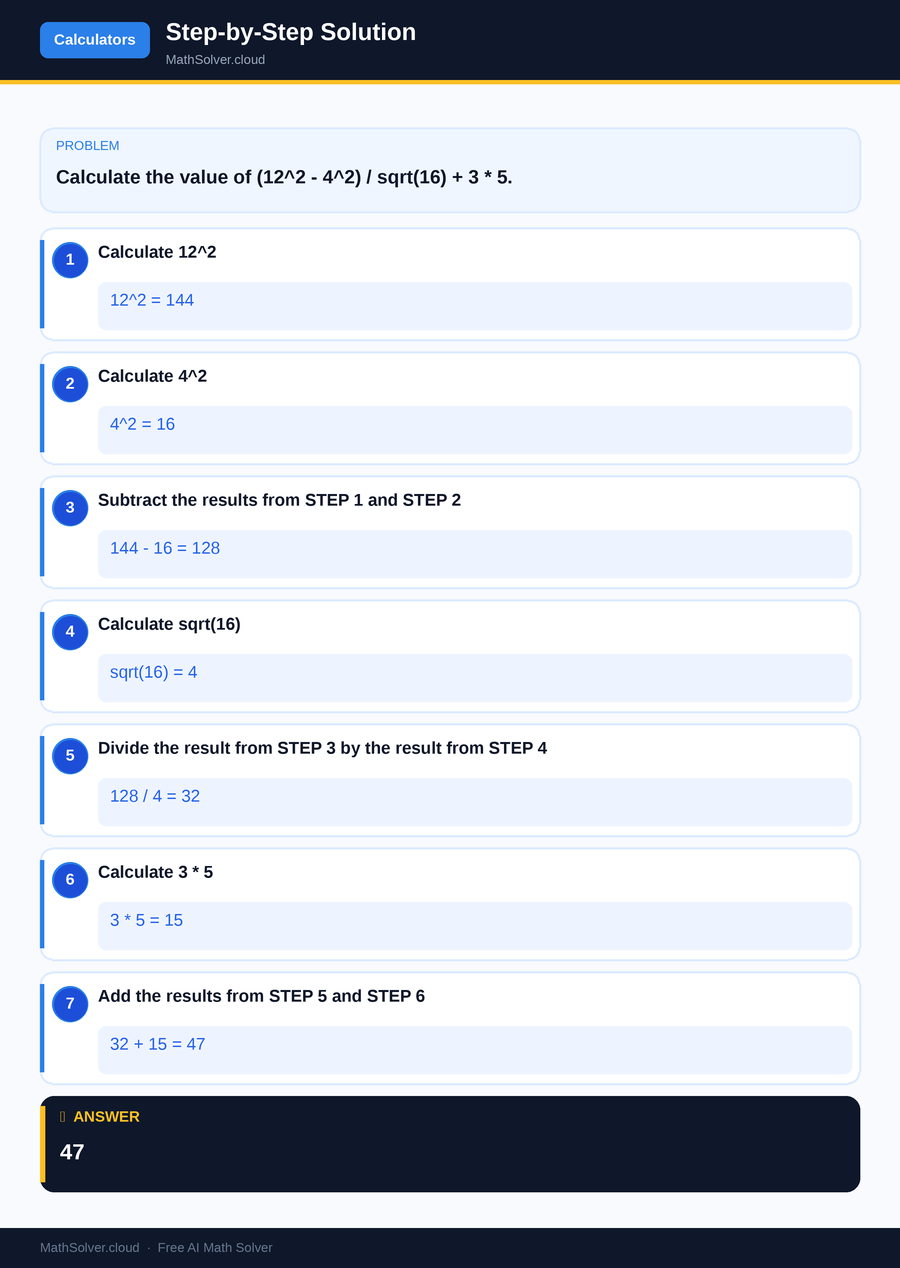
MathSolver Chrome extension solving this problem step-by-step
Common Mistakes to Avoid
One common mistake when using the google math calculator is neglecting the order of operations, which can lead to incorrect results. Always remember to use parentheses to clearly define the order in which operations should be performed.
Another frequent error is entering expressions incorrectly, especially when dealing with fractions and roots. Double-check your input to ensure accuracy, and verify complex calculations by reviewing each step. By being mindful of these potential pitfalls, you'll be able to use the google math calculator more effectively.
Real-World Applications
The google math calculator is not just for students; it's a practical tool used in various real-world contexts. For professionals in fields such as engineering, finance, and data analysis, quick access to accurate calculations is essential. The calculator's ability to handle complex equations with ease makes it a valuable resource for professionals who need to solve problems on the go. Additionally, the google math calculator camera feature allows users to capture handwritten equations, making it even more versatile for real-world applications.
In educational settings, teachers can use the google math calculator to demonstrate problem-solving techniques and verify student solutions. It serves as an excellent teaching aid, providing a visual representation of calculations and reinforcing the understanding of mathematical concepts. Whether you're a student, teacher, or professional, the google math calculator offers practical benefits that streamline the problem-solving process.
Frequently Asked Questions
❓ What is the google math calculator?
❓ How can I use the google math calculator for fractions?
❓ How can AI help with google math calculator?
❓ Can the google math calculator solve cubic equations?
❓ What if I need a physical calculator for exams?
🚀 Solve any math problem instantly
2,000+ students use MathSolver every day — join them for free
📥 Add to Chrome — It's Free