Mastering Mathematics with Photomath
📋 In this guide
Photomath is a revolutionary tool that has transformed the way students approach mathematics. By simply using a smartphone camera, students can scan and solve math problems in real-time, making it an invaluable tool for understanding complex concepts. However, many students struggle with fully utilizing photomath to its potential. They may rely too heavily on it for answers without grasping the underlying principles. In this guide, you'll learn how to use photomath effectively to enhance your mathematical understanding and improve your problem-solving skills.
Some students find math overwhelming and challenging, which is where tools like photomath come into play. Photomath serves as an educational assistant, guiding students through various problems from basic arithmetic to more complex equations. Yet, to maximize its benefits, students need to know how to interpret the solutions provided by photomath and apply them independently.
By the end of this article, you'll gain a thorough understanding of how photomath works, including a step-by-step guide on using it effectively. We'll also walk through some example problems, discuss common mistakes, and explore real-world applications of photomath. Whether you're struggling with algebra, calculus, or even photomath matrices, this guide will help you leverage photomath to improve your math skills.
Step-by-Step: How to Solve Photomath
Step 1: Installing and Setting Up Photomath
To begin using photomath, start by downloading the app from the App Store or Google Play Store. Once installed, open the app and grant it permission to access your camera. This step is crucial because photomath uses the camera to scan and interpret math problems. After setting up, you'll be prompted to take a quick tutorial which is highly recommended. It will guide you through the basics of scanning equations and interpreting solutions, ensuring you’re ready to tackle math problems effectively.
Step 2: Scanning a Math Problem
Once the app is set up, you're ready to scan your first math problem. Position your camera over the equation you want to solve, making sure it fits within the scan frame. Photomath will automatically recognize and capture the problem. It’s important to ensure that the equation is clear and there’s ample light for the camera to work accurately. If the app struggles to recognize the equation, adjust the angle or lighting. This step is critical as a clear scan ensures an accurate solution.
Step 3: Understanding the Solution
After scanning, photomath will display a step-by-step solution. Take the time to review each step carefully. Photomath breaks down the problem, showing how to arrive at the solution, which aids in understanding the methodology behind the answer. This is where photomath stands out from other tools like symbolab or wolfram and alpha, as it emphasizes comprehension rather than just providing the final answer. Use this opportunity to learn and ask questions about each step to solidify your understanding.
Step 4: Applying the Solution to Similar Problems
Once you've understood how photomath arrived at the solution, try applying these steps to similar problems without the app. This practice reinforces learning and ensures that you’re not just dependent on the app. Photomath is an excellent tutor, but your goal should be to solve problems independently. By doing so, you will enhance your math skills and be better prepared for exams and real-world applications. Over time, you’ll find yourself relying less on photomath and more on your problem-solving abilities.
🤖 Stuck on a math problem?
Take a screenshot and let our AI solve it step-by-step in seconds
⚡ Try MathSolver Free →Worked Examples
Example 1
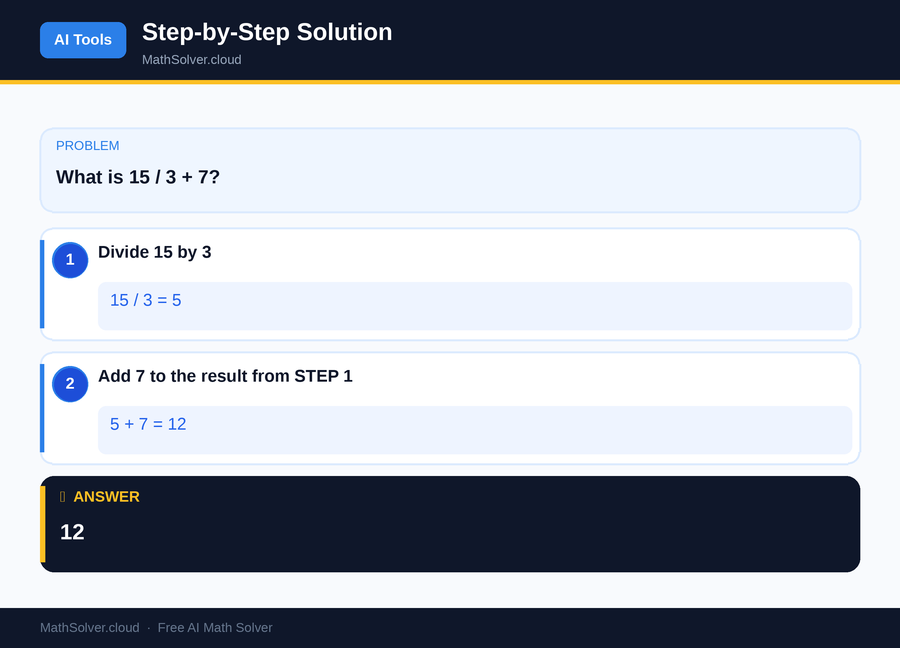
MathSolver Chrome extension solving this problem step-by-step
Example 2
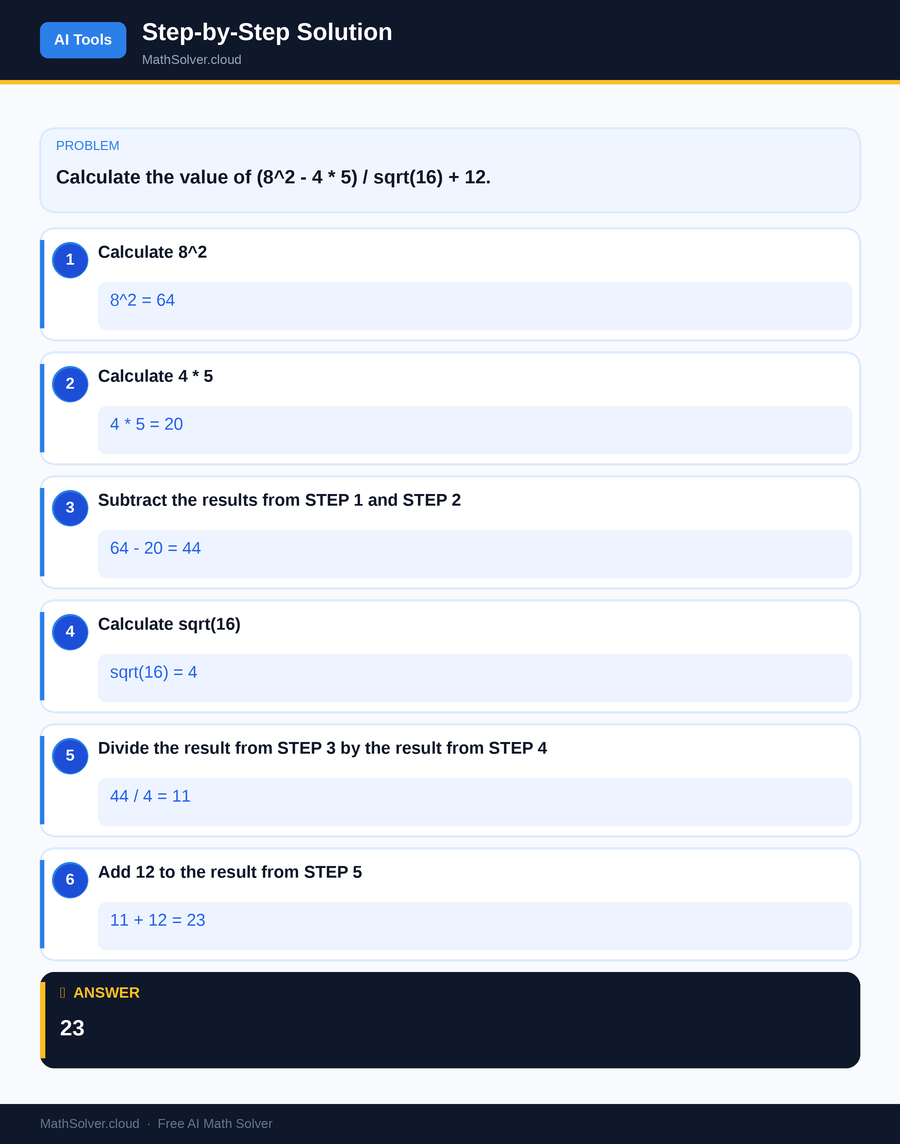
MathSolver Chrome extension solving this problem step-by-step
Common Mistakes to Avoid
One common mistake students make when using photomath is relying too heavily on the app without understanding the process. This can lead to a superficial grasp of the material and difficulties during exams where technology is not allowed. To avoid this, use photomath as a learning tool rather than a crutch. Go through each step provided by the app and ensure you understand the reasoning behind each calculation.
Another mistake is misinterpreting the solution steps. Students may skim through the process and miss crucial details or make assumptions. To prevent this, take your time to analyze each step and compare it to your understanding. If a step is unclear, revisit the problem or consult additional resources such as textbooks or online platforms like the MathSolver Chrome extension, which can offer further explanations and insights.
Real-World Applications
Photomath is not just limited to academic settings; it has practical applications in various real-world scenarios. For instance, engineers often use photomath to verify complex calculations quickly, ensuring accuracy in their designs. It's also beneficial for financial analysts who need to solve equations related to financial models or forecasts.
Moreover, educators use photomath to develop more engaging lesson plans and provide students with instant feedback on their homework. This tool can transform traditional teaching methods, making learning more interactive and enjoyable for students at all levels. By understanding its applications beyond the classroom, you can appreciate the broader impact photomath has on diverse fields.
Frequently Asked Questions
❓ How reliable is photomath for solving complex equations?
❓ Can photomath help with understanding math concepts?
❓ How can AI help with photomath?
❓ Can photomath solve word problems?
❓ Is photomath available online?
🚀 Solve any math problem instantly
2,000+ students use MathSolver every day — join them for free
📥 Add to Chrome — It's Free