Understanding the Differential Equation Calculator
📋 In this guide
A differential equation calculator is an indispensable tool for students tackling complex calculus problems involving differential equations. These calculators are designed to help solve equations where the rate of change of a variable is related to the variable itself, a common scenario in physics, engineering, and other applied sciences. However, students often struggle with differential equations due to their abstract nature and the intricate steps involved in finding solutions. This article will guide you through understanding differential equation calculators, offering insights into solving these equations efficiently and accurately.
Students frequently find differential equations challenging because they require a solid grasp of calculus concepts and the ability to apply these concepts to real-world situations. A differential equation calculator simplifies this process by providing step-by-step solutions that help students learn and understand the underlying principles. By the end of this article, you will have a clearer understanding of how to use a differential equation calculator effectively, along with practical examples and tips for avoiding common pitfalls.
Understanding how to use a differential equation calculator can significantly enhance your mathematical skills and confidence. This article will explore key formulas, offer a detailed step-by-step guide, and provide worked examples to illustrate the process. Additionally, we will discuss real-world applications and address common questions to ensure you have a comprehensive understanding of this tool. Whether you're a student or a professional looking to refine your calculus skills, this guide will serve as a valuable resource on your mathematical journey.
Step-by-Step: How to Solve Differential Equation Calculator
Step 1: Identify the Type of Differential Equation
The first step in solving a differential equation using a differential equation calculator is to identify the type of equation you are dealing with. Is it a first-order or second-order differential equation? Is it linear or nonlinear? Understanding the type of equation is crucial because it determines the method of solution. For instance, a first-order linear differential equation can be solved using an integrating factor, while a second-order linear differential equation might require the use of characteristic equations. Clearly defining the equation type allows the calculator to apply the correct algorithms.
Step 2: Input the Equation into the Calculator
Once you've identified the type of differential equation, the next step is to input the equation into the differential equation calculator. Most calculators have an intuitive interface where you can enter the equation in a format similar to how you would write it on paper. Ensure that you enter the equation accurately, including any initial or boundary conditions, as these are essential for finding particular solutions. At this stage, the calculator will process the input and prepare to apply the appropriate solving method.
Step 3: Analyze the Step-by-Step Solution
After inputting the equation, the calculator will generate a step-by-step solution. This feature is particularly beneficial for students, as it breaks down the process into manageable parts. Carefully analyze each step provided by the calculator to understand how it transitions from one phase to the next. This might include applying integration, using substitution methods, or employing particular solution techniques. By reviewing each step, you can identify any areas of confusion and use the calculator as a learning tool.
Step 4: Verify the Solution and Interpret Results
The final step is to verify the solution and interpret the results. Ensure that the solution satisfies the original differential equation and any initial conditions provided. It's also important to interpret what the solution means in the context of the problem. For example, in a physics problem, the solution might represent the motion of an object over time. If the calculator provides a graphical representation, use it to visualize the solution's behavior. This step reinforces your understanding and ensures the solution is practical and applicable.
🤖 Stuck on a math problem?
Take a screenshot and let our AI solve it step-by-step in seconds
⚡ Try MathSolver Free →Worked Examples
Example 1
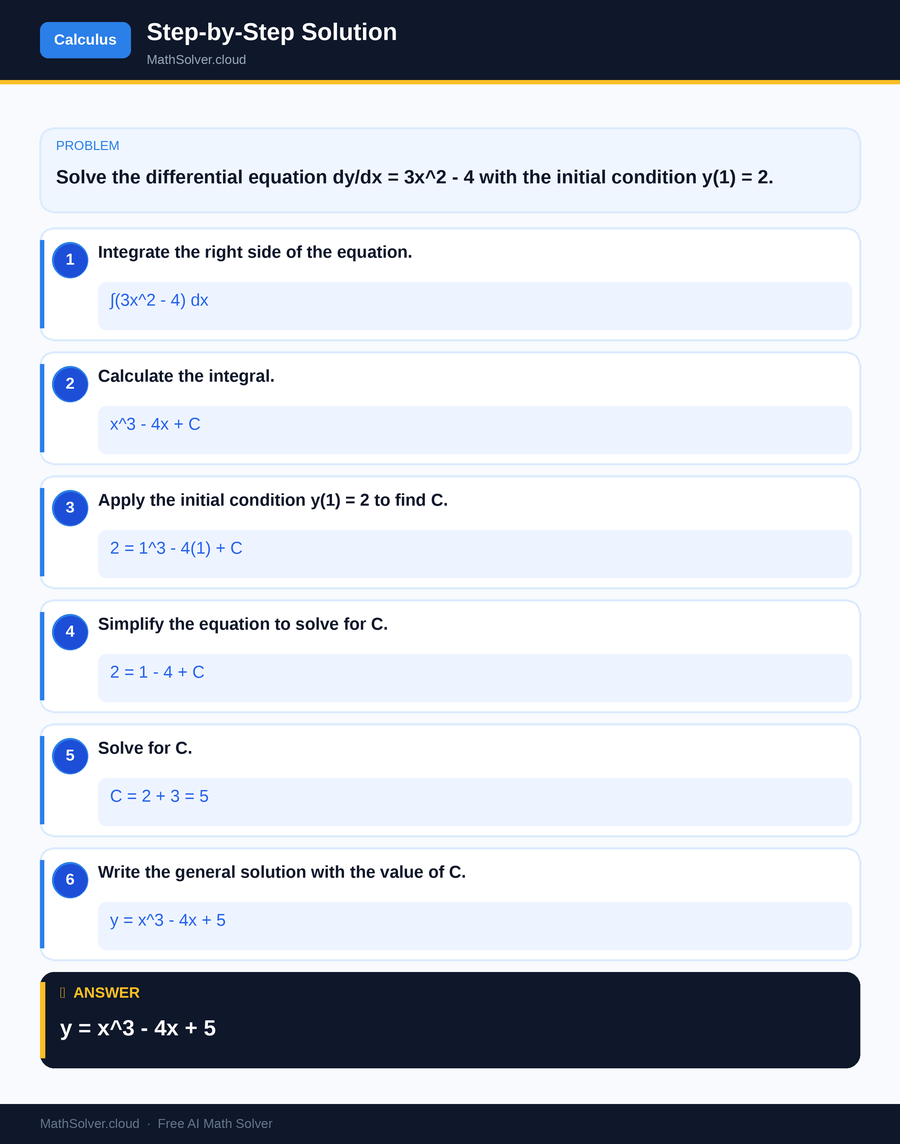
MathSolver Chrome extension solving this problem step-by-step
Example 2
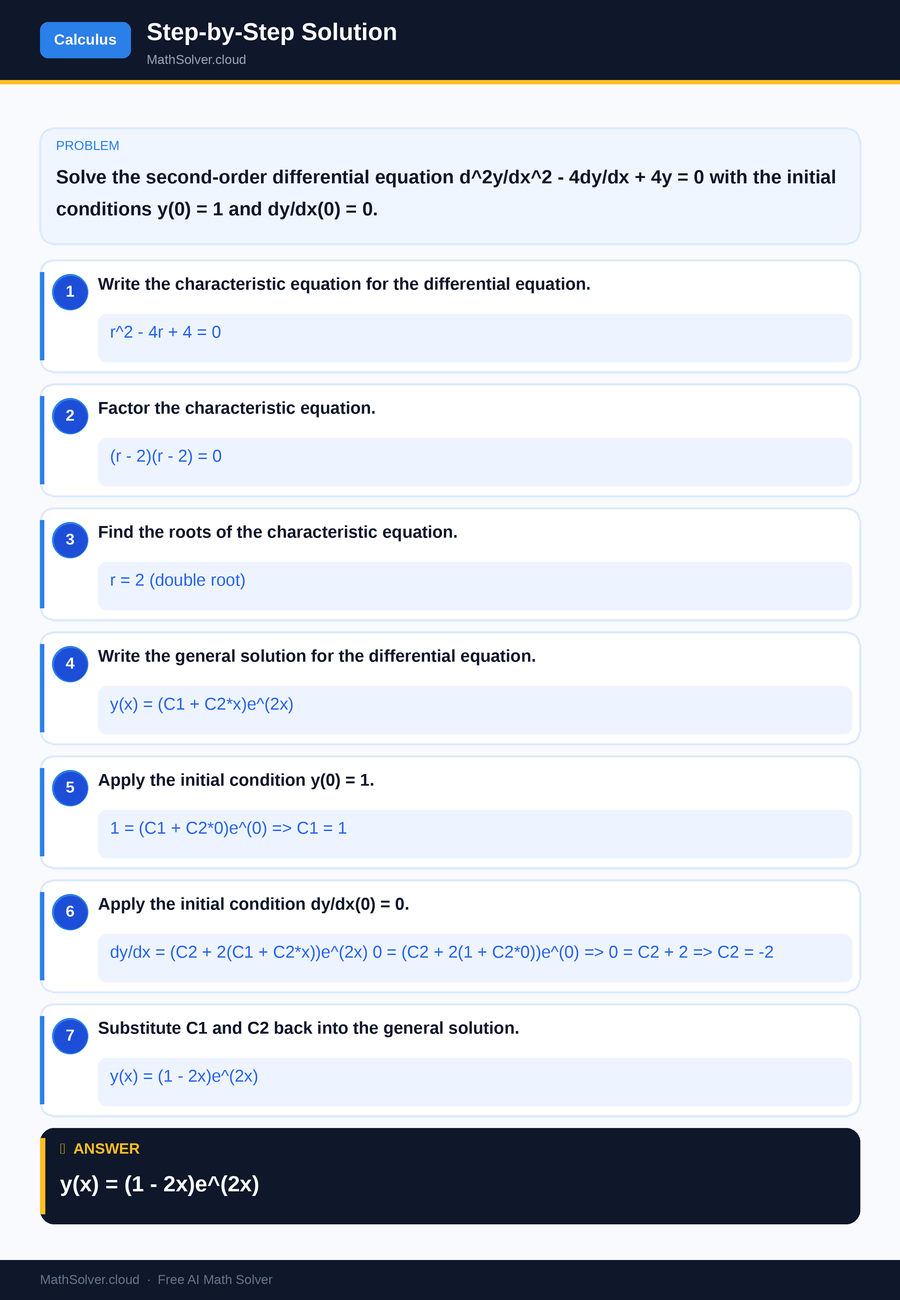
MathSolver Chrome extension solving this problem step-by-step
Common Mistakes to Avoid
One common mistake students make is neglecting to correctly apply initial or boundary conditions when solving differential equations. These conditions are essential for determining the particular solution of the equation. Always double-check that conditions are incorporated into the solution process.
Another frequent error is misunderstanding the type of differential equation, leading to the application of incorrect solving techniques. Ensure you accurately identify the equation type before proceeding with a solution.
Additionally, students may sometimes input the equation incorrectly into the differential equation calculator, resulting in errors. Pay careful attention to the syntax and format required by the calculator, and verify the equation is entered accurately. These precautions can significantly reduce errors and improve your problem-solving skills.
Real-World Applications
Differential equation calculators are widely used in various real-world applications across multiple fields. In engineering, these calculators help solve equations related to systems dynamics, such as modeling the behavior of electrical circuits or predicting the stress on mechanical structures. Engineers rely on these tools to design and optimize systems efficiently and safely.
In the medical field, differential equations are used to model the spread of diseases, allowing researchers to predict outbreaks and develop control strategies. Pharmacokinetics, which studies how drugs move through the body, also employs differential equations to understand drug absorption, distribution, metabolism, and excretion. These applications highlight the critical role that differential equation calculators play in advancing scientific and technological solutions.
Frequently Asked Questions
❓ What is a differential equation calculator, and how does it work?
❓ Why do students find differential equations challenging?
❓ How can AI help with differential equation calculators?
❓ What types of differential equations can be solved using a calculator?
❓ How can I improve my skills in solving differential equations?
🚀 Solve any math problem instantly
2,000+ students use MathSolver every day — join them for free
📥 Add to Chrome — It's Free